
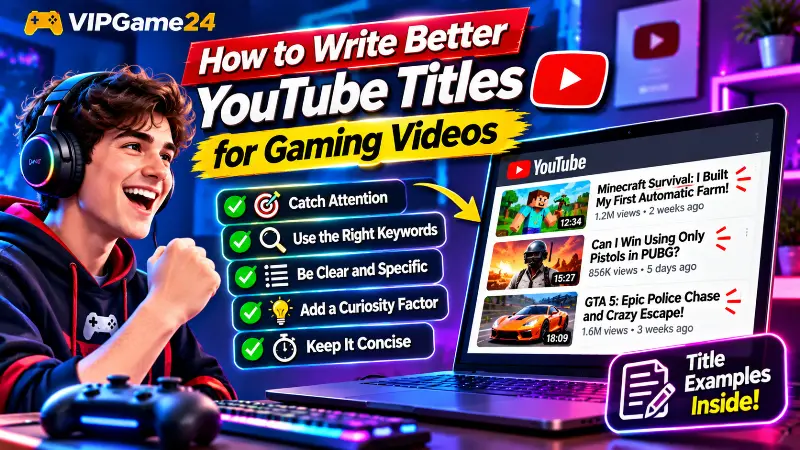
A gaming video can contain exciting gameplay, a difficult boss fight, an unexpected victory or a useful tutorial, but viewers still need a reason to click. Your YouTube title helps them understand what the video offers before they start watching. A clear and interesting title can attract the right audience, communicate the video’s main idea and set realistic expectations.
Writing effective YouTube gaming video titles is not about adding as many keywords or attention-grabbing words as possible. It is about identifying the most interesting part of your video and describing it in a way that makes viewers want to watch. This guide explains practical title-writing methods, examples for different gaming videos and a simple process you can use before every upload.
Why YouTube Titles Matter for Gaming Channels
Your video title and thumbnail are often the first things people notice when they come across your content. They help viewers decide whether the video is relevant, interesting and worth their time.
Gaming channels publish many different types of content, including gameplay, tutorials, walkthroughs, live-stream highlights, reviews and challenges. A title that works for a tutorial may not be suitable for an entertaining gameplay video. The wording should match the actual content and the audience you want to reach.
A well-written gaming title should:
- Explain the main subject or activity of the video.
- Give viewers a clear reason to watch.
- Use relevant game names and search terms naturally.
- Make a promise that the video can actually deliver.
- Be easy to understand on both desktop and mobile screens.
YouTube recommends using accurate, concise titles and placing important words near the beginning. You can read its official thumbnail and title tips for additional guidance.
Understand the Two Main Types of Gaming Video Titles
Before writing a title, decide how viewers are most likely to discover the video. Some people search YouTube for a specific answer, while others discover videos while browsing recommendations. These situations call for slightly different approaches.
Searchable titles
Searchable titles clearly describe what the viewer will learn, find or accomplish. They are especially useful for tutorials, walkthroughs, beginner guides and troubleshooting videos.
Examples include:
- How to Defeat the First Boss in [Game Name]
- [Game Name] Beginner Guide: Tips for New Players
- How to Fix Lag in [Game Name] on PC
- Best Settings for Smooth Gameplay in [Game Name]
- How to Find Rare Items in [Game Name]
These titles tell viewers what the video covers without making them guess.
Curiosity-driven titles
Curiosity-driven titles highlight an unusual event, challenge, surprising result or entertaining moment. They can work well for gameplay, funny moments, experiments and gaming challenges.
Examples include:
- I Tried Winning Using Only Pistols in [Game Name]
- Can We Survive 100 Days in Minecraft Hardcore?
- This Boss Fight Was Harder Than I Expected
- I Used the Worst Weapon and Still Won
- One Mistake Nearly Ended Our Entire Run
Curiosity is useful when the video has a genuine story or interesting outcome. Do not create a mystery that the video cannot resolve.
When to combine both approaches
You do not always have to choose between a searchable title and an intriguing one. A title can include the main topic while also presenting an interesting angle.
For example, instead of writing How to Play Minecraft Survival, you could use Minecraft Survival: I Built My First Automatic Farm. The game and activity are clear, while the personal achievement gives viewers a reason to watch.
How to Write YouTube Gaming Video Titles Step by Step
1. Identify the most interesting part of the video
Start by reviewing the actual video rather than immediately looking for keywords. Ask yourself what makes this upload different from other videos about the same game.
It might be a difficult victory, an unusual strategy, a helpful discovery, a funny mistake or a detailed explanation. Choose one main idea and build the title around it.
For example, if your video shows an entire match but the most entertaining moment is a comeback victory, a title about the comeback may communicate the video’s strongest point better than a generic title such as “Full Gameplay”.
2. Include the game name when it helps viewers
The game name is important context for gaming content, especially when viewers are searching for tutorials, updates, settings or walkthroughs. Include it naturally when it helps people understand the subject.
Compare these examples:
- Weak: How to Win More Games
- Better: How to Win More Matches in [Game Name]
- More specific: 5 Beginner Mistakes to Avoid in [Game Name]
Do not force the game name into every title when it makes the wording awkward. The goal is to describe the video clearly, not to repeat keywords unnecessarily.
3. Put the most important words near the beginning
Some YouTube surfaces display only part of a longer title. Viewers should understand the main subject even when the full title is not visible.
Compare these examples:
- Less direct: Watch This Amazing Gameplay Video Where I Finally Defeat the Boss
- More direct: [Game Name]: I Finally Defeated the Hardest Boss
The second example communicates the game and the main event earlier. Keep episode numbers, channel branding and secondary details toward the end when they are necessary.
4. Make the promise specific
General phrases such as “amazing gameplay”, “best game ever” and “insane video” do not tell viewers much. Specific details make a title more meaningful.
Instead of writing “New Gaming Challenge”, describe the actual challenge. For example, “Can I Beat [Game Name] Without Using Health Items?” gives viewers a clearer idea of what they will see.
Specificity also helps attract people who are genuinely interested in that type of content.
5. Keep the title concise
YouTube allows video titles of up to 100 characters, but reaching the character limit should not be your goal. A shorter title can be easier to read, especially on smaller screens.
Remove unnecessary introductions, repeated words and details that do not help explain the video. Keep the main topic and the most interesting promise.
6. Use numbers only when they add meaning
Numbers can make guides, lists and challenges easier to understand. They are useful when the video genuinely contains the number of tips, steps, levels or items mentioned in the title.
Examples include:
- 7 Beginner Tips for [Game Name]
- 5 Weapons You Should Try in [Game Name]
- 10 Mistakes New Players Should Avoid
- 3 Ways to Improve Your Aim in [Game Name]
Do not add a number just to make a title look more attractive. Make sure the video delivers what the number promises.
Gaming YouTube Title Examples by Video Type
Different gaming formats need different title structures. Use these examples as starting points and replace the placeholders with details from your own video.
Gameplay videos
Gameplay titles should highlight an important event, achievement, strategy or entertaining moment.
- [Game Name] Gameplay: My Best Match So Far
- I Finally Won After 20 Attempts in [Game Name]
- This Match Took an Unexpected Turn
Walkthroughs and tutorials
For instructional videos, explain the task or problem being covered. Viewers should understand what they can learn by watching.
- [Game Name] Walkthrough: How to Complete Level 5
- How to Beat [Boss Name] in [Game Name]
- [Game Name] Beginner Guide: Everything to Know First
Gaming challenges
Challenge videos work well when the title explains the rules or difficulty of the challenge.
- Can I Finish [Game Name] Without Taking Damage?
- Winning Using Only Starter Weapons in [Game Name]
- I Tried the Hardest Challenge in [Game Name]
Funny moments and highlights
For entertainment-focused videos, use a specific funny or surprising moment instead of relying only on generic words.
- The Funniest Mistake in Our [Game Name] Match
- We Could Not Stop Laughing at This Moment
- My Teammate Made the Worst Decision Ever
Game updates and news
Update-related titles should identify the game and the actual announcement or change. Include a version number or date when it is genuinely useful to viewers.
- [Game Name] Update: 5 Changes Players Should Know
- What’s New in [Game Name] Version [Number]?
- [Game Name] New Season: Features and Changes Explained
For news and update videos, check that the information is current before uploading. Avoid making a title sound like an official announcement unless your video is actually reporting one.
Common YouTube Gaming Title Mistakes to Avoid
Using misleading clickbait
A title should make viewers curious, but it must accurately represent the video. Do not promise a rare reward, secret feature, unbelievable victory or major update if the video does not actually show it.
Misleading titles can disappoint viewers and damage their confidence in your channel. YouTube also advises creators to avoid titles and thumbnails that deceive viewers or misrepresent the content.
Adding too many keywords
Repeating the same game name or search phrase several times makes a title difficult to read.
For example, “Best Minecraft Gameplay Minecraft Tips Minecraft Survival Guide” is not a natural title. A clearer alternative would be “Minecraft Survival Guide: 7 Tips for Beginners”.
Using excessive capital letters and emojis
Capital letters and emojis can sometimes add emphasis, but using too many can make a title look cluttered. Use normal sentence-style capitalization and keep special characters limited to cases where they add meaning.
Making every video title look identical
Repeating the same title structure for every upload can make a channel feel repetitive. Even when you cover the same game, identify what is unique about each video.
For a series, keep the episode number or series name consistent where useful, but make the main title describe the specific event in that episode.
Copying another creator’s title
Studying successful gaming channels can help you understand how creators communicate their content. However, copying their titles does not give your video a unique identity.
Use other videos for inspiration, then write a title that reflects your own gameplay, experience and audience.
How to Improve Gaming Titles with YouTube Analytics
Do not judge a title only by how it sounds while you are writing it. Review how viewers respond after publishing and use the available data to improve future uploads.
Use YouTube Analytics research insights
YouTube Analytics includes research insights that can help creators explore what viewers are searching for. You can also use the Audience tab to learn about other videos your viewers watch.
Look for subjects that are relevant to your channel and that you can cover with a useful or entertaining video. Do not choose a topic only because it appears popular if it does not fit your content.
Review click-through rate in context
Click-through rate (CTR) measures how often viewers watch a video after seeing an impression where the metric applies. YouTube recommends reviewing CTR for Home and Suggested videos, as well as the Subscriptions feed, when evaluating titles and thumbnails.
Do not compare every upload as though all videos have the same audience or traffic sources. Consider the number of impressions, the video format and where viewers discovered the video.
Check whether the title matches viewer expectations
A title may attract clicks, but viewers still need to find the content they expected. Review audience retention and watch-time information alongside CTR.
If viewers leave very early, check whether the introduction delivers the promise made in the title. The solution may involve improving the opening, changing the video’s structure or making the title more accurate.
Experiment carefully with title and thumbnail ideas
Before uploading, prepare a few title variations and compare how each one communicates the video’s main idea. You can also review the title and thumbnail together to see whether they complement each other.
YouTube provides title and thumbnail testing features for eligible creators. Use available testing tools when they are offered to your channel, and judge results using the information provided in YouTube Studio.
A Simple Checklist Before Publishing a Gaming Video
Before selecting your final title, review these points:
- Does the title accurately describe the video?
- Can a new viewer understand the main topic quickly?
- Is the game name included when it adds useful context?
- Are the most important words near the beginning?
- Does the title give viewers a clear reason to watch?
- Have unnecessary words and repeated keywords been removed?
- Does the thumbnail support the same message without simply repeating the title?
- Can the video deliver the promise made by the title?
If the title passes these checks, it is ready for your final review in YouTube Studio.
Frequently Asked Questions
What is the ideal length for a YouTube gaming title?
YouTube allows up to 100 characters in a video title. There is no single ideal length for every gaming video. Aim for a concise title that communicates the subject clearly, with the most important information near the beginning.
Should I include the game name in every YouTube title?
Include the game name when it helps viewers identify the content or when it is an important part of the topic. For tutorials, walkthroughs and update videos, the game name is often useful. For some entertainment-focused clips, the main event may be more important.
Are keywords important in gaming video titles?
Relevant keywords help describe what a video is about and can make its subject clearer to viewers. Use natural phrases that match the actual content rather than repeating keywords or adding unrelated search terms.
Should I use clickbait titles for gaming videos?
No. An interesting title is useful, but it should not mislead viewers. Describe a genuine challenge, result or moment that the video actually contains.
Can I change a YouTube title after uploading?
Yes. You can edit a video’s title through YouTube Studio after uploading. However, do not change a title repeatedly without a clear reason. Review the video’s performance and make sure any revised title still represents the content accurately.
Final Thoughts
Writing better YouTube gaming video titles starts with understanding what makes each upload worth watching. Focus on one clear idea, use relevant game-related terms naturally and put the most important information near the beginning. Whether you publish tutorials, gameplay, challenges or funny highlights, your title should tell viewers what they can expect without exaggerating.
Make title writing part of your regular video workflow. Prepare a few options, compare them with your thumbnail and review the results in YouTube Analytics. Over time, you will develop a more consistent approach to creating clear, compelling titles for your gaming channel.