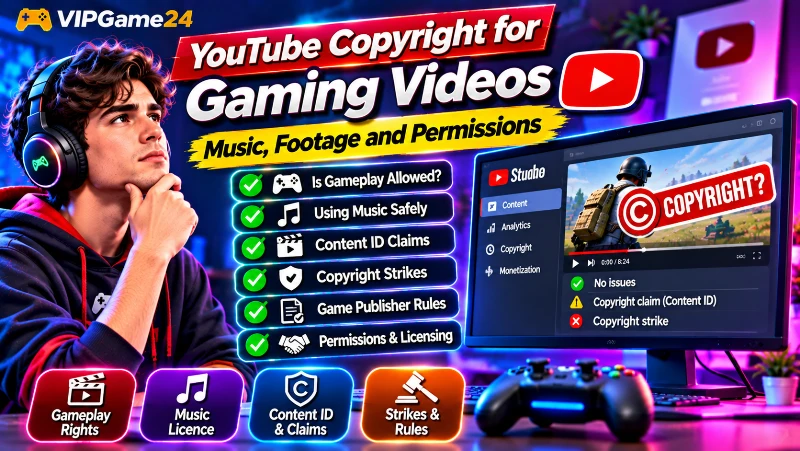
Gaming videos are a popular way to share gameplay, walkthroughs, live streams, tutorials and memorable gaming moments. But before uploading or monetizing your content, it is important to understand copyright. Music, game footage, cutscenes, character designs and recordings from other creators may involve rights that you do not automatically own.
YouTube copyright for gaming videos can be confusing because the rules depend on the type of material you use, the game’s publisher policy and the licences attached to music or other content. A game that allows monetized gameplay videos does not automatically give you permission to use every song or third-party asset inside it.
This guide explains how copyright applies to gaming content, how to find publisher permissions, how to choose music safely, and what to do when YouTube detects copyrighted material. It is general educational information, not legal advice. Copyright exceptions and requirements can differ between countries.
What Does Copyright Mean for Gaming Videos?
Copyright protects original creative works, including music, sound recordings, videos, artwork and other creative material. Video games combine many different elements, such as graphics, animations, sound effects, music, dialogue and story sequences.
When you record gameplay, your video may include material owned or controlled by the game publisher and other rights holders. Your own commentary, face-camera recording or original editing may add new creative work, but it does not automatically give you ownership of the underlying game assets.
Gaming videos can contain several types of copyrighted material:
- Gameplay footage: Visuals, environments, characters, animations and other game assets.
- Game music: Background tracks, menu music, licensed songs and soundtrack recordings.
- Game audio: Dialogue, voice performances, sound effects and other recordings.
- Cutscenes: Cinematic sequences, story scenes and animated content.
- Third-party content: Music, characters, artwork or other material included in a game under separate licences.
- Other creators’ recordings: Gameplay clips, compilations, commentary and edited videos made by other people.
Each element can have different rights and usage conditions. Permission to publish gameplay does not necessarily include permission to use a separately licensed soundtrack or another creator’s recording.
Can You Upload Gameplay Videos to YouTube?
Many game publishers allow players to share their gameplay online, but the conditions vary. Some publishers provide broad creator guidelines, while others restrict commercial use, certain types of footage or specific games.
You should check the official video, streaming or content usage policy for the game you want to record.
Check the publisher’s gameplay video policy
Before uploading a gameplay recording, look for the publisher’s official rules. Search its website for terms such as:
- Gameplay video policy
- Streaming guidelines
- Video content usage policy
- Fan content policy
- Commercial use permissions
Read the complete policy rather than relying on a short statement from a forum or another creator. Check whether it covers YouTube, monetization, live streaming, editing, spoilers and third-party material.
Different publishers can have different rules
There is no single permission that applies to every game. For example, Minecraft’s published Usage Guidelines allow creators to earn advertising revenue from gameplay videos when they follow its requirements. Those requirements include making the videos freely viewable and adding enough original content to make the video meaningfully different from raw gameplay.
Bandai Namco’s Video Policy has a different approach. It allows certain revenue features provided by platforms, including YouTube Partner Program features and Super Chat, while also reserving the right to request that those revenue features be disabled.
These examples show why creators should not assume that the rules for one game apply to another.
Useful official references:
- Minecraft Usage Guidelines
- Bandai Namco Entertainment Video Policy
- Rockstar Games Policy on Posting Copyrighted Material
Publisher rules can change and may include separate conditions for individual games. Always check the latest policy for the specific title you are recording.
Can You Monetize Gaming Videos on YouTube?
Being able to upload a gameplay video does not automatically mean that you have the right to monetize it. YouTube explains that monetization of video game content depends on the commercial use rights granted by the game publisher’s licence.
Some publishers permit commercial use under stated conditions. Others may restrict monetization or require creators to follow specific guidelines.
Understand the publisher’s commercial use permission
Look for language explaining whether gameplay videos can earn revenue through advertising, memberships, donations, subscriptions or other platform features.
Do not assume that owning a copy of a game gives you commercial rights to its visual and audio content. Purchasing a game generally gives you permission to play it under its terms, not automatic ownership of all the intellectual property inside it.
Add meaningful original content
YouTube’s guidance says that, without an appropriate publisher licence, simply showing gameplay or software use for extended periods may not be accepted for monetization. It describes gameplay content with step-by-step commentary that is closely tied to the live action and provides instructional or educational value as a possible monetizable format.
This is important for creators who publish walkthroughs, tutorials, strategy guides and gameplay explanations.
Consider adding:
- Your own commentary explaining the gameplay.
- Step-by-step instructions for completing a mission.
- Analysis of strategies, character choices or game mechanics.
- Original explanations of mistakes and successful techniques.
- Meaningful editing that helps viewers understand the subject.
Adding commentary is not a substitute for rights that you do not have. It also does not guarantee YouTube Partner Program approval. You must follow both the publisher’s licence and YouTube’s monetization policies.
Read YouTube’s official video game and software content monetization guidance before planning a monetized gaming channel.
Why Music Can Cause Copyright Problems in Gaming Videos
Music is one of the most common sources of copyright claims on gaming channels. A game may contain a soundtrack licensed from a record label, composer, publisher or another music rights holder.
The game publisher may allow you to upload gameplay while the music rights holder may have separate rules. This can lead to a copyright claim even when the gameplay recording itself is permitted.
Understand licensed music inside games
Some games feature popular commercial songs in radio stations, menus, promotional sequences or in-game events. The rights to use those songs in the game do not necessarily include permission for you to redistribute them in a YouTube video.
Before recording, check whether the game provides a setting that disables licensed music or enables a streamer-friendly audio mode. These features are not available in every game, and their protection depends on how the game handles its audio.
Do not assume short music clips are automatically safe
There is no universal rule that using a few seconds of a copyrighted song is automatically allowed. A short section can still trigger a Content ID match or create a copyright issue.
Similarly, changing the speed or pitch of a song does not automatically make it free to use.
Use music that you are permitted to publish
Good options include:
- Music you composed and recorded yourself.
- Music licensed specifically for your intended YouTube use.
- Tracks from the YouTube Audio Library.
- Creative Commons music used according to its actual licence requirements.
- Music from a service that explicitly grants the rights needed for your video and monetization plans.
Keep evidence of the licence, download date, track name and any attribution instructions. A label such as “free music” or “royalty-free” does not by itself prove that a track is safe for every use.
How to Use the YouTube Audio Library
The YouTube Audio Library is one of the most practical places to find music and sound effects for gaming videos. It is available inside YouTube Studio and includes tracks that YouTube identifies as copyright-safe for use on the platform.
Find music and sound effects
- Sign in to YouTube Studio.
- Select Audio Library from the left-side menu.
- Open the Music tab to browse background tracks.
- Use the filters to search by genre, mood, artist or duration.
- Preview a track before downloading it.
- Open the Sound effects tab to find suitable effects.
- Save the downloaded files in your video project folder.
Check attribution requirements
Some Audio Library tracks use licences that require you to credit the artist in your video description. Other tracks do not require attribution.
Check the licence information shown beside each track before using it. When attribution is required, copy the supplied credit information and include it in the description exactly as instructed.
Can You Monetize videos using Audio Library music?
YouTube states that eligible YouTube Partner Program creators can monetize videos using music and sound effects from the Audio Library. It also says that Audio Library downloads are not claimed by rights holders through Content ID.
However, do not assume that every track described as royalty-free on an unrelated website offers the same protection. YouTube specifically states that it only knows the tracks in its own Audio Library to be copyright-safe for this purpose.
Visit the official YouTube Audio Library guide for current instructions and attribution details.
Can You Use Other Creators’ Gameplay Footage?
Watching another creator’s gameplay video does not give you permission to download, edit and upload it to your own channel.
Other creators may own rights in their recordings, commentary, face-camera footage, editing and original graphics. The game’s publisher may own or control the underlying game assets as well.
Ask for permission before reusing a clip
If you want to include another creator’s recording, contact the creator or relevant rights holder. Explain how you intend to use the clip and request permission that covers your planned use.
Where appropriate, get written permission that clearly states:
- Which video or footage you can use.
- Whether editing and combining clips is allowed.
- Whether the permission covers YouTube and other platforms.
- Whether monetization is permitted.
- Whether credit or attribution is required.
- Any duration, territory or other restrictions.
Keep the permission message or licence in your records.
Credit does not replace permission
Adding the original creator’s name or channel link is good practice when credit is required, but credit alone does not automatically give you the right to reuse copyrighted footage.
Likewise, writing “I do not own this content” or “no copyright infringement intended” does not create permission or automatically protect your upload.
Be careful with compilations and reaction videos
A compilation made from other people’s gaming clips can create copyright problems when the original footage is used without permission or another valid legal basis.
Adding a few captions, music tracks or transitions does not automatically make copied footage original. If you are creating commentary, criticism or analysis, make sure your own contribution is substantial and understand the copyright rules that apply in your country.
Understanding Fair Use and Fair Dealing
You may hear gaming creators use terms such as fair use, fair dealing or transformative content when discussing clips, game footage and music. These concepts are not universal permissions to reuse copyrighted material.
Fair use is not a worldwide rule
Fair use is a doctrine in United States copyright law. YouTube explains that US courts consider the circumstances of each case, including the purpose of the use, the nature of the work, the amount used and the effect on the potential market.
Other countries may have fair dealing provisions or different copyright exceptions with their own requirements. Do not assume that a defence discussed by a US creator automatically applies in India, the UK, Canada, Australia or another country.
Giving credit does not automatically create fair use
Attribution may be required by a licence, but it does not independently make an unauthorized use lawful.
A disclaimer such as “no infringement intended” or a statement that the video is for entertainment does not automatically protect you from a copyright claim.
Using a small portion does not guarantee protection
The amount of material used can be relevant to a copyright exception, but there is no simple number of seconds that makes every use legal.
Consider the context, purpose and amount of the material, and get qualified legal advice when a planned use is commercially important or uncertain.
Read YouTube’s explanation of fair use for the US-specific principles it describes.
What Is a YouTube Content ID Claim?
Content ID is YouTube’s automated system for identifying uploaded videos that match reference material supplied by eligible copyright owners.
When the system finds a match, the copyright owner can apply a policy to the video. Depending on the settings, the claim may:
- Monetize: Run advertisements and potentially collect revenue from the video.
- Track: Collect viewership information about the matched content.
- Block: Prevent the video from being viewed in some or all locations.
These actions can vary by country or region. A video might be viewable in one location and blocked in another.
Does a Content ID claim mean you have a copyright strike?
No. A Content ID claim and a copyright strike are different processes. A claim usually affects the individual video and does not automatically give your channel a strike.
A copyright strike follows a valid copyright removal request. It is a more serious issue because the video is removed and the channel receives a strike.
Read YouTube’s explanation of copyright claims to understand the available claim policies.
What Is a YouTube Copyright Strike?
A copyright strike occurs when YouTube removes content following a valid copyright removal request. It is different from an automated Content ID claim.
Copyright strikes can affect your channel and require careful attention.
What happens after a copyright strike?
YouTube states that a copyright strike can expire after 90 days when the creator completes Copyright School and has fewer than three active copyright strikes.
Other possible ways to resolve a strike include obtaining a retraction from the claimant or submitting a valid counter notification when the removal was mistaken or the creator has a legitimate legal basis.
Can three copyright strikes terminate a channel?
Yes. YouTube states that channels receiving three copyright strikes within 90 days are subject to termination. Associated channels can also be affected.
Do not ignore copyright notices or assume that deleting a video will automatically resolve an existing strike. Review the notice and follow the available resolution process.
For details, read YouTube’s official copyright strike guide.
How to Check Copyright Claims in YouTube Studio
Review the Restrictions information for your uploaded videos to see whether YouTube has detected copyright issues.
Find claimed videos
- Sign in to YouTube Studio.
- Open Content from the left-side menu.
- Look at the Restrictions column.
- Find videos marked with a copyright claim or copyright takedown.
- Select the relevant notice or See details option to review the claim.
Read the claim information carefully. It can identify the matched material, the claimant and the effect on your video.
Understand your options before taking action
Depending on the claim, YouTube Studio may provide options such as:
- Leaving the claim in place.
- Muting or erasing claimed audio.
- Trimming out the claimed segment.
- Replacing the song with suitable Audio Library music.
- Disputing a claim when you have a valid reason.
These options are not available in every situation. Review the details before making changes because editing out material may affect the video.
When Should You Dispute a Copyright Claim?
Disputing a claim should be a careful decision, not an automatic reaction to losing monetization.
YouTube identifies valid reasons to dispute a Content ID claim, including:
- You own all the necessary rights to the claimed material.
- You have a valid licence or permission to use it.
- Your use qualifies for an applicable copyright exception.
- The system has matched the wrong material or made an error.
Keep evidence of your rights
Before disputing, collect any relevant evidence, such as:
- A written permission or licence from the rights holder.
- Purchase or subscription records for a licensed music track.
- The terms of the applicable publisher video policy.
- Original project files or recordings showing your source material.
- Information explaining why the claim identifies the wrong content.
Do not dispute a claim without a valid basis
YouTube states that giving credit, owning a copy of a song or video, or adding a copyright disclaimer are not valid reasons by themselves to dispute a claim.
A dispute not supported by a valid reason can lead the copyright owner to submit a copyright removal request. If that request is valid, your video may be removed and your channel may receive a strike.
Learn more from YouTube’s copyright claim dispute guide.
Special Copyright Considerations for Gaming Shorts
Short gaming clips still need to follow copyright rules. A short format does not automatically make copyrighted music or footage safe to use.
Pay particular attention to Shorts between one and three minutes long. YouTube states that a Short longer than one minute with an active Content ID claim is blocked on the platform while the claim remains active.
Before publishing a longer gaming Short:
- Check whether the gameplay includes licensed music.
- Use music that is permitted for the intended format and duration.
- Avoid including third-party clips without permission.
- Review copyright notices in YouTube Studio.
- Keep documentation for any licences or permissions you rely on.
See YouTube’s Content ID claim guidance for its current rules on Shorts with active claims.
A Copyright-Safety Checklist Before Uploading Gaming Videos
Make this checklist part of your regular publishing process.
- Have I checked the game publisher’s current video and streaming policy?
- Does the publisher permit the type of upload and monetization I plan to use?
- Does the recording contain licensed music or third-party content?
- Have I disabled restricted game music where an appropriate setting exists?
- Do I have permission or a suitable licence for external music and sound effects?
- Do I have permission to use any footage created by another person?
- Have I checked the attribution requirements for licensed material?
- Have I kept evidence of the rights and permissions I rely on?
- Have I reviewed the video for copyright notices in YouTube Studio?
- Does my video follow YouTube’s monetization and other platform policies?
If you cannot confirm that you have the necessary rights, do not assume the upload is safe. Replace the material, obtain permission or seek qualified legal advice before publishing.
Frequently Asked Questions
Can I upload gameplay videos without permission?
Some publishers allow gameplay sharing under their published video policies, while others impose restrictions. Check the specific game’s current terms and creator guidelines before uploading.
Can I monetize gameplay videos on YouTube?
Monetization depends on the commercial use rights granted by the game’s publisher and YouTube’s monetization requirements. Some publishers allow it under specific conditions, while others restrict it.
Can I use copyrighted music in gaming videos?
You need the appropriate rights or a valid legal basis to use copyrighted music. The fact that a song appears in a game does not automatically give you permission to use it in a YouTube upload.
Does giving credit prevent a copyright claim?
No. Credit does not replace permission or a licence. Attribution is important when required by the applicable licence, but it does not automatically authorize an otherwise restricted use.
Is a Content ID claim the same as a copyright strike?
No. A Content ID claim usually affects a video and can monetize, track or block it. A copyright strike follows a valid copyright removal request and is more serious for the channel.
Can I use another YouTuber’s gaming clips in a compilation?
You should obtain permission or have another valid legal basis for using the footage. Giving credit alone does not automatically authorize reuse, and the original recording may involve rights held by both the creator and the game publisher.
Is royalty-free music always safe for YouTube?
No. Check the actual licence. It should cover your intended platform, video use and monetization conditions. A track described as royalty-free may still have restrictions or trigger a Content ID claim.
Can I use a few seconds of a copyrighted song?
There is no universal number of seconds that guarantees permission. Even a short section can trigger Content ID or create a copyright issue. Use appropriately licensed music instead.
Can I dispute a copyright claim if I give credit?
Credit alone is not a valid reason to dispute a claim. You need a legitimate basis, such as owning the rights, having permission, relying on a valid copyright exception or identifying a matching error.
Final Thoughts
Copyright should be part of every gaming creator’s publishing workflow. Check the game publisher’s rules, understand the commercial use conditions and treat music and third-party footage as separate rights questions.
Use properly licensed music, keep records of permissions and review copyright notices in YouTube Studio. If a claim appears, understand whether it is a Content ID claim or a copyright strike before deciding what to do next.
Creating original commentary and useful editing can make gaming videos more valuable to viewers, but it does not remove the need to respect the rights of game publishers, musicians and other creators. A careful approach to copyright helps protect your videos and supports a more sustainable YouTube channel.