
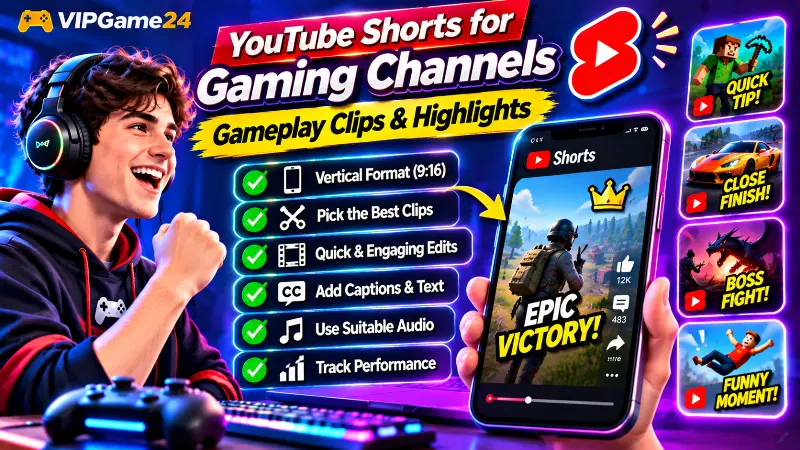
Gaming videos do not always need to be long to entertain viewers. A close match, an unexpected victory, a funny mistake or an impressive gameplay move can become an engaging short video when presented properly. YouTube Shorts gives gaming creators another way to share these moments and reach viewers who enjoy short-form content.
Creating successful YouTube Shorts for gaming channels requires more than cutting a random section from a longer recording. You need to choose a moment that makes sense on its own, adapt the footage for vertical viewing, capture attention quickly and keep the video focused on one main idea.
This guide explains how to find gaming clips, edit vertical videos, write effective openings, use captions and sound, upload Shorts and understand their performance through YouTube Analytics.
Why Gaming Channels Should Create YouTube Shorts
Gaming content naturally produces moments that can work well in short-form videos. A difficult boss fight, an unexpected game glitch, a last-second victory or a funny multiplayer interaction can communicate an entire story in a short amount of time.
Shorts also give viewers an opportunity to discover your channel without committing to a longer video immediately.
For gaming creators, Shorts can help with:
- Sharing exciting moments: Present impressive gameplay, close victories and unexpected events.
- Reaching new viewers: Introduce your gaming content to people browsing the Shorts Feed.
- Testing content ideas: See which games, challenges and video styles receive interest.
- Promoting longer videos: Use a short clip to introduce a related walkthrough, gameplay session or tutorial.
- Building a recognizable channel: Develop a consistent style through captions, commentary and editing.
Shorts and regular YouTube videos can be part of the same content strategy. YouTube also explains that Shorts performance does not negatively affect recommendations for long-form videos. However, viewers who enjoy a short clip will not necessarily watch every longer upload, so make sure both formats offer useful content.
What Type of Gaming Content Works Well as a Short?
Not every gameplay recording contains a strong short-form moment. Look for events that can be understood quickly and have a clear beginning, interesting action and satisfying result.
Epic gameplay moments
Impressive plays are natural candidates for Shorts. Examples include a difficult headshot, a last-second save, an unexpected comeback or a successful move that takes skill and timing.
Show enough of the action for viewers to understand what happened. A highlight that begins after the important event may look impressive but can leave people confused.
Funny gaming moments
Funny mistakes, unusual game physics, unexpected character behaviour and amusing teammate reactions can make entertaining Shorts.
Keep the setup and reaction together whenever possible. The context often makes the moment funnier than the action alone.
Quick gaming tips and tutorials
Short tutorials can answer one specific question without requiring a long explanation. You might demonstrate a useful game setting, a shortcut, a beginner mistake or a simple strategy.
Examples include:
- One Minecraft building tip beginners should know.
- A quick aiming improvement for a shooting game.
- How to complete a difficult game move.
- One useful setting for smoother gameplay.
- A simple trick for completing a racing challenge.
Boss fights and difficult challenges
A short clip showing a challenging boss encounter or a difficult game objective can create a clear story. Focus on one important stage, the critical move or the final result.
For a longer challenge, choose a section that can stand alone rather than trying to compress the entire experience into a confusing sequence.
Racing and sports highlights
Racing games provide opportunities for dramatic overtakes, close finishes and unexpected crashes. Sports games can produce penalty saves, impressive goals, last-minute wins and unusual match situations.
These moments are easier to follow when the viewer can immediately understand the objective and outcome.
Game updates and discoveries
Short videos can introduce a new feature, interesting game change or useful discovery. Keep the information accurate and identify the game or update being discussed.
For changing game information, check the relevant official announcements before recording your explanation.
How to Choose the Right Gameplay Clips
The quality of a gaming Short starts with the footage you select. You may record an hour of gameplay, but only a few moments might be suitable for short-form content.
Look for one clear idea
Each Short should have a main subject. Avoid combining several unrelated events simply because they came from the same recording session.
For example, a Short about an unexpected victory should focus on that match. A separate funny mistake can become another Short with its own introduction and ending.
Choose moments that make sense without a long explanation
Viewers often encounter Shorts without knowing the game, the players or the background story. Select clips that are easy to understand with minimal context.
When an explanation is necessary, use a short caption or voice introduction to establish what is happening.
Keep the important action visible
Review the footage before editing. Check where the player, opponent, objective and important game information appear on screen.
This becomes especially important when converting landscape gameplay into a vertical video. A clip that looks excellent in a widescreen recording may lose its important action when cropped.
Save multiple highlights from each recording session
Maintain a collection of suitable gameplay moments. You can organize clips by game, recording date or content type.
A simple folder structure might look like this:
Gaming-Shorts/
    Minecraft/
        Building-Tips/
        Funny-Moments/
        Gameplay/
    Shooting-Games/
        Epic-Wins/
        Funny-Clips/
    Racing-Games/
        Close-Finishes/
        Crashes/
    Ready-to-Edit/
    Published-Shorts/
This makes it easier to find footage when you are ready to create another Short.
Understand the Best Video Format for YouTube Shorts
YouTube classifies eligible square or vertical videos of up to three minutes as Shorts. For gaming creators, a vertical layout is usually a practical starting point because it fills the screen on most phones.
Use a vertical 9:16 layout
A common editing canvas for vertical Shorts is 1080 x 1920 pixels, which uses a 9:16 aspect ratio. This is a practical production format rather than a requirement that every Short must use those exact pixel dimensions.
Keep the important gameplay action near the centre of the frame. Avoid placing important information too close to the edges, where cropping or interface elements may make it harder to see.
Convert landscape gameplay into vertical video
Most PC and console games record in a landscape format. You need to adapt that footage carefully before publishing it as a vertical Short.
There are several ways to do this:
- Crop and reposition: Enlarge the footage and keep the player or important action inside the vertical frame.
- Use a blurred background: Place the original landscape footage over a blurred copy of itself to fill the vertical canvas.
- Use a split layout: Show gameplay in one section and commentary, a face camera or useful information in another.
- Track important movement: Reposition the crop as the player or action moves across the original recording.
Choose the method that keeps the important details visible. A vertical crop that removes the minimap, opponent or main action may make the gameplay difficult to understand.
Check the result on a phone screen
Do not judge the video only from your desktop editing timeline. Preview the exported Short on a phone or in a mobile-sized preview.
Check that the game interface, captions and important actions remain visible. Leave enough breathing room around text and avoid covering key gameplay details.
How to Edit Gaming Shorts Step by Step
A repeatable editing process helps you produce Shorts without spending unnecessary time on each clip. You can use desktop editing software or a mobile editor, depending on your recording setup.
Step 1: Import the selected gameplay
Open your editing software and import the recording. Create a vertical project and place the footage on the timeline.
If the source is landscape, adjust the framing before trimming the clip. Make sure the main subject remains visible throughout the sequence.
Step 2: Start close to the interesting moment
Remove unnecessary waiting, loading screens and long introductions. Begin close to the action while keeping enough context for viewers to understand the situation.
For example, a video about a difficult victory might begin with a quick explanation of the challenge, followed immediately by the key gameplay sequence.
Step 3: Trim the clip carefully
Remove sections that do not contribute to the story. Keep the important setup, action and result.
Do not cut so aggressively that viewers cannot understand why the event happened. A few seconds of context can make a highlight much more satisfying.
Step 4: Add captions and short labels
Use captions for important spoken words and short text labels to explain the situation. Examples include “Final Round”, “One Health Left” or “Last-Second Victory”.
Keep the text easy to read and use consistent styling. Avoid covering the player, opponent or important game interface.
Step 5: Improve the audio
Make sure gameplay sounds, commentary and background music are balanced. Remove distracting noise where possible and avoid sudden changes in volume between clips.
For a funny moment, the original reaction or game sound may be more entertaining than added music. Use the audio that best supports the clip.
Step 6: Add effects only where they help
A short zoom, freeze frame or slow-motion section can emphasize an important event. However, too many transitions, flashes and sound effects can make a Short difficult to follow.
Keep the edit focused on the gameplay. The action should remain the main attraction.
Step 7: Create a clean ending
End the video when the main event is complete. Avoid long closing animations that delay the ending.
For a recurring series, you can use a brief visual identity or a simple invitation to watch related content. Make sure it does not interrupt the final moment.
Step 8: Preview and export
Watch the entire video before exporting. Check the vertical framing, sound, captions and transitions. Make sure the ending does not feel accidental.
Export in a suitable vertical format and review the final file again before uploading.
Create a Strong Opening Hook
The first moments of a Short are important because viewers can quickly decide whether to continue watching or swipe to another video. Your opening should make the subject clear and give viewers a reason to stay.
Show the action instead of a long introduction
Start with an interesting visual or a short statement connected to the clip.
Examples include:
- “I had only one chance left!”
- “Watch what happens in the final second.”
- “This was the closest race of the day.”
- “I did not expect this boss fight to end like that.”
- “Here is one mistake new players should avoid.”
These are examples, not mandatory formulas. Use an opening that accurately represents the footage.
Make the subject clear quickly
Use a brief caption or voice introduction when viewers need to know which game, challenge or objective they are watching.
For example, “Minecraft survival challenge” gives the audience useful context without requiring a long introduction.
Deliver what the opening promises
Do not use an exciting opening that has little connection to the rest of the video. The main event should appear soon enough that viewers do not feel misled.
Use Captions, Commentary and Sound Effectively
Short-form gameplay videos are often watched in different environments and at different volume levels. Clear captions and balanced audio can help viewers understand the content.
Add readable captions
Captions can communicate commentary, explain an unusual event or identify an important gameplay detail. Use a readable font size, strong contrast and short lines.
Review automatically generated captions before publishing. Game names, character names and gaming terminology may need manual correction.
Use commentary when it adds context
Voice commentary can explain a strategy, introduce a challenge or make a funny moment more entertaining. Keep explanations brief and directly connected to the footage.
Do not add narration simply to fill every second. Some gameplay moments are more powerful when viewers hear the original game audio.
Select suitable background music
Choose music that supports the mood of the clip. Energetic music may suit a fast gameplay highlight, while a quieter track may work better for a tutorial.
Make sure you have permission to use the music. Music from the YouTube Shorts Audio Library has specific usage and duration rules, and some tracks have shorter limits than others.
Keep game audio clear
Important game sounds can make a highlight more immersive. Keep them audible without allowing loud effects to overpower voice commentary or music.
Listen to the final export with headphones before uploading.
How Long Should a Gaming Short Be?
YouTube currently supports eligible square or vertical Shorts up to three minutes long. That does not mean every gaming Short needs to use the full duration.
Choose a length based on the amount of content needed to tell the story.
Very short gameplay clips
A single funny moment, impressive action or quick result may need only a few seconds. Keep the clip focused and avoid adding unnecessary explanation.
Short tutorials and tips
A quick tutorial may need additional time to demonstrate a setting or explain a sequence. Show each important step clearly rather than speeding through the instructions.
Longer highlights and mini-stories
A challenge, match highlight or short walkthrough may need more time to establish the situation and show the outcome. Use the available duration when the additional footage contributes meaningful context.
Do not stretch a short moment simply to make the video longer. Likewise, do not cut important information only to meet an arbitrary duration target.
How to Upload a Gaming Short to YouTube
You can upload eligible Shorts through the YouTube mobile app or YouTube Studio on a computer.
Upload from a computer
- Sign in to YouTube Studio.
- Select Create and then Upload videos.
- Choose your square or vertical video file that is up to three minutes long.
- Enter a clear title and complete the video details.
- Set the audience and visibility options correctly.
- Review the video and publish it when ready.
Upload from a mobile device
- Open the YouTube app.
- Tap Create and select Upload a video.
- Choose your square or vertical recording.
- Trim the video if necessary and use the available editing options.
- Add the title and other video details.
- Review privacy settings and publish the Short.
For exact upload instructions, visit the official YouTube Shorts upload guide.
Write Better Titles and Descriptions for Gaming Shorts
Shorts still need clear titles and accurate information. Make it easy for viewers to understand what the video contains.
Keep the title focused
Describe the main event, challenge or tip. Avoid adding unrelated game names or exaggerated claims.
Examples include:
- My Closest Victory in [Game Name]
- One Minecraft Survival Tip for Beginners
- This Racing Finish Was Incredible
- How to Beat This Boss in [Game Name]
- The Funniest Moment from Our Match
Write a useful description
Use a short description to identify the game and explain the clip. Include a related video or playlist link when it helps viewers find more content.
Do not copy the same description into every Short. Make it relevant to the specific upload.
Use relevant hashtags
Hashtags can help describe the subject of a Short. Examples include #Gaming, #Minecraft, #Gameplay and #GamingShorts.
Only use hashtags that match the actual video. A small number of relevant hashtags is more useful than a long list of unrelated terms.
Copyright and Music Rules for Gaming Shorts
Copyright matters when you create Shorts from recorded gameplay, use background music or include clips from other creators.
Use music that you are allowed to publish
Do not assume that a popular song is free to use because it is available online. Use music from the YouTube Audio Library, eligible Shorts Audio Library tracks or music for which you have the necessary rights.
Pay attention to the music’s permitted duration. YouTube says many Shorts Audio Library songs can be used for up to 90 seconds in a three-minute Short, while some tracks are limited to 60 or 30 seconds.
Understand the special rule for Shorts longer than one minute
YouTube states that a Short longer than one minute with an active Content ID claim of any type will be blocked globally. It will not be playable or recommended on YouTube until the claim is resolved.
This makes it especially important to check music and other copyrighted material before publishing longer Shorts. If you are unsure about a track, choose appropriately licensed music instead.
Be careful with footage from other creators
Do not assume that another creator’s gameplay recording, commentary or edited video is free to reuse. Obtain permission or use material under a valid licence when required.
When recording your own gameplay, also review the relevant game’s content policies if you plan to use its footage commercially or in a monetized channel.
Read YouTube’s current three-minute Shorts and music guidance before publishing longer clips.
How to Use Shorts to Support Your Gaming Channel
Shorts can be part of a wider content plan rather than an isolated upload format. Think about how each clip relates to your other gaming content.
Connect Shorts with longer videos
If a Short comes from a full gameplay video, walkthrough or challenge, provide a natural way for viewers to find the related content.
You can use YouTube’s related video feature when it is available for your channel and the content is relevant. You can also mention a related video in the description or organize connected uploads into a playlist.
Create a recurring Shorts series
A recurring series can give viewers a familiar reason to return. Possible ideas include:
- One gaming tip every episode.
- Funny multiplayer moments.
- Weekly best gameplay clips.
- Quick game challenges.
- Unexpected game discoveries.
Keep each episode valuable on its own. Viewers should not need to watch every previous Short to understand the current one.
Maintain a realistic publishing schedule
Choose a schedule that you can maintain without compromising the quality of your recordings and edits. YouTube does not specify a minimum posting frequency required for Shorts to perform well.
It is better to produce a consistent stream of useful or entertaining clips than to upload unfinished content simply to meet a daily target.
Measure Gaming Shorts Performance in YouTube Analytics
After publishing, review the performance of your Shorts in YouTube Studio. Analytics can help you understand which gameplay moments attract viewers and which formats are worth exploring further.
Review how many viewers chose to view
The Shorts analytics report includes a metric showing how often viewers watched your Short versus swiped away. This can help you evaluate the opening and whether the clip attracts attention when it appears in the feed.
If many viewers swipe away, review the first seconds. Check whether the opening is clear, the action begins quickly and the video immediately communicates its subject.
Check average view duration and percentage viewed
Average view duration and average percentage viewed help you understand how long viewers stay with your Short.
Look at these figures alongside the actual video length. A longer tutorial and a very short gameplay clip may naturally produce different viewing patterns.
Review views and subscriber changes
Compare the performance of your Shorts over time. Look for patterns in which games, topics or formats attract views and lead to subscribers.
Do not judge a content strategy based on one viral upload. Compare several Shorts and look for repeatable patterns.
Check comments, likes and remixes
Comments can reveal what viewers found interesting or confusing. Likes provide another indication of audience response, while remix information can show whether people are creating content using your Short.
Use this feedback to develop future ideas rather than simply repeating the same clip format.
YouTube explains these reports in its official Shorts Analytics guide.
Common Mistakes to Avoid When Creating Gaming Shorts
Uploading an unedited gameplay recording
A random section from a long recording may contain unnecessary waiting, unclear action or missing context. Review and edit the clip before publishing it.
Cropping away important gameplay information
Vertical editing can remove important details from a landscape recording. Check the full sequence and reposition the crop so that viewers can follow the action.
Using a long animated introduction
Viewers should not have to wait through a long channel animation before the gameplay begins. Show the subject and interesting moment early.
Adding too much text
Shorts are viewed on small screens. Large paragraphs and excessive labels can hide gameplay and make the video difficult to follow. Use brief captions that support the action.
Using music without checking its rights
A music track can create copyright problems even when the video is short. Check the usage conditions and pay special attention to the rules for Shorts longer than one minute.
Publishing unrelated content just to follow trends
A trending sound or game may not be relevant to your viewers. Experiment with trends when they fit your content, but keep the channel’s main subject recognizable.
Frequently Asked Questions
How long can a YouTube Short be?
Eligible square or vertical videos can be classified as YouTube Shorts when they are up to three minutes long. The best duration depends on the content and how much time is needed to communicate the idea clearly.
What is the best aspect ratio for gaming Shorts?
A vertical 9:16 layout is a common choice for gaming Shorts. An editing canvas of 1080 x 1920 pixels is a practical starting point, although YouTube’s eligibility rules also include square videos.
Can I turn a long gaming video into multiple Shorts?
Yes. A longer recording can contain several independent highlights, tutorials or funny moments. Select clips that have their own clear subject and enough context to work as separate videos.
Can gaming Shorts help grow a YouTube channel?
Shorts can introduce your gaming content to new viewers and provide another way to share highlights. Their performance depends on viewer interest, video quality, competition and other recommendation factors. Views do not automatically become subscribers.
Should I upload gaming Shorts every day?
Daily uploads are not required. Choose a publishing schedule that you can maintain while keeping your videos relevant and well edited. Review your audience response and adjust your schedule when necessary.
Can I use copyrighted music in a gaming Short?
Only use music when you have the necessary rights or when the track is available through an appropriate YouTube music library under its permitted usage rules. Shorts longer than one minute with an active Content ID claim are blocked globally until the claim is resolved.
Should I add hashtags to gaming Shorts?
You can add relevant hashtags to help describe the game or subject. Use a few accurate hashtags rather than adding unrelated trending terms.
Final Thoughts
YouTube Shorts give gaming creators another format for sharing impressive gameplay, funny moments, quick tutorials and exciting challenges. The best starting point is to choose one interesting moment, make the action easy to understand and adapt the footage carefully for vertical viewing.
Focus on strong openings, clean editing, readable captions and suitable audio. Check copyright requirements before using music, especially in Shorts longer than one minute. After publishing, review the Shorts analytics to understand which clips viewers choose to watch and which ones keep their attention.
Build a repeatable workflow and experiment with different types of gaming content. With thoughtful clip selection and consistent quality, Shorts can become a useful part of your overall YouTube channel strategy.